

Download the Epoch mod from:
Start each game once to finish their installation
Extract the mod into your "Arma 2 Operation Arrowhead" folder
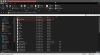
Right-click "Arma 2: Operation Arrowhead" in your Steam library and open the properties.
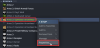
In order to start the game with the "Epoch mod" enabled, fill in the following launch options:
-connect=play.genesis-epoch.com
-port=2302
"-mod=C:\Program Files (x86)\Steam\steamapps\common\Arma 2;Expansion"
"-mod=C:\Program Files (x86)\Steam\steamapps\common\Arma 2 Operation Arrowhead\@DayZ_Epoch"
-nosplash
Replace "C:\Program Files (x86)\" with your own path to steam!
(only the red text)
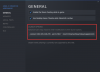
If you use Windows 11, you will have to fix Battleye before you can continue:
https://community.bistudio.com/wiki/Arma_2:_Operation_Arrowhead:_Windows_10/11_Installation
Now you can start Arma 2: Operation Arrowhead through Steam.
In case you don't get connected to the server automatically, press "Multiplayer" in the main menu.
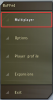
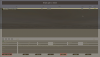
Make sure "Address:" is set to Internet and press "Filter".
Enter "genesis" in the filter menu at "Host:".
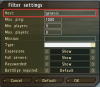
Press "OK", our server should show up in the server browser now, double-click to join.
- EpochMod.com(https://epochmod.com/a2dayzepoch.php)
- EpochMod Google Drive(https://drive.google.com/file/d/19iCJevU008g311vsxJNR0PjYmkSv36YK/view)
- Mirror by Genesis(https://mega.nz/file/q5QBBSjb#-LoKwE8hiLOFLWu9PnV9ouiPPtjXMFhrwnYWNl7pV4g)
Start each game once to finish their installation
Extract the mod into your "Arma 2 Operation Arrowhead" folder
Right-click "Arma 2: Operation Arrowhead" in your Steam library and open the properties.
In order to start the game with the "Epoch mod" enabled, fill in the following launch options:
-connect=play.genesis-epoch.com
-port=2302
"-mod=C:\Program Files (x86)\Steam\steamapps\common\Arma 2;Expansion"
"-mod=C:\Program Files (x86)\Steam\steamapps\common\Arma 2 Operation Arrowhead\@DayZ_Epoch"
-nosplash
Replace "C:\Program Files (x86)\" with your own path to steam!
(only the red text)
If you use Windows 11, you will have to fix Battleye before you can continue:
https://community.bistudio.com/wiki/Arma_2:_Operation_Arrowhead:_Windows_10/11_Installation
Now you can start Arma 2: Operation Arrowhead through Steam.
In case you don't get connected to the server automatically, press "Multiplayer" in the main menu.
Make sure "Address:" is set to Internet and press "Filter".
Enter "genesis" in the filter menu at "Host:".
Press "OK", our server should show up in the server browser now, double-click to join.
Last edited by a moderator: